
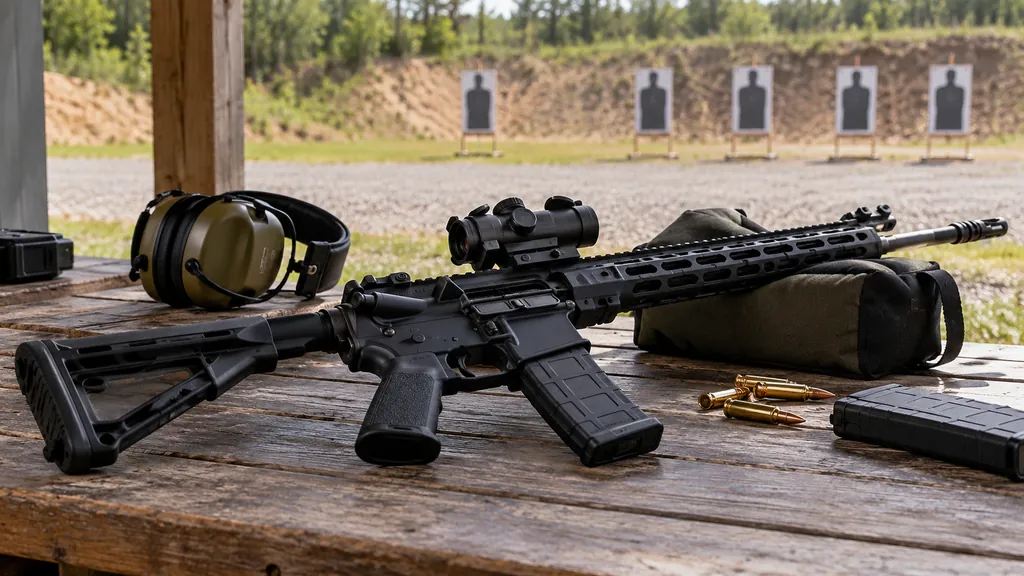
R6 weapon stats tell you which guns actually win you gunfights, not just which ones feel good in the shooting range. Most players pick a loadout once, copy whatever a friend runs, and never look at it again. That’s a shame, because weapon performance numbers are some of the most honest data you can get about your own aim.
This guide covers what third-party trackers usually report per weapon, how to read damage, recoil and attachments without trusting made-up stat sheets, and how to turn your own weapon performance into better loadout choices. We won’t quote exact damage values or call any gun “meta,” because those change with every balance patch. What doesn’t change is how to read damage and usage numbers.
You’ll also see where our free tools fit in, and where they don’t, so you know exactly what to expect before you start.
What R6 weapon stats actually measure
When people talk about R6 weapon stats, they usually mean one of two very different things. The first is the gun’s built-in characteristics set by Ubisoft, such as damage per bullet, fire rate, magazine size and how much it kicks. The second is your personal record with that gun, like how many kills you’ve earned with it and how many of those were headshots.
Both matter, but they answer different questions. Built-in characteristics tell you what a weapon is capable of. Your personal weapon performance tells you what you actually do with it. A rifle with great on-paper damage can still be your worst gun if its recoil fights your aim style.
Keeping these two ideas separate saves a lot of confusion. A tracker page full of your kills and headshots is not a statement about which gun is strongest in the game. Your weapon performance is a mirror of your habits.
Built-in weapon characteristics
These are the developer-set properties. Ubisoft adjusts them through balance changes, so any number you read on a fan site may be out of date. Treat them as a starting point and confirm changes in the official patch notes before you build a plan around a single value.
Personal R6 weapon stats from trackers
These come from your own matches. Third-party trackers collect them and display them per weapon. Your R6 weapon stats are only as good as the data the tracker receives, so expect occasional gaps or late updates, especially right after a new season starts.
Where to find R6 weapon stats for your account
Ubisoft runs an official stats page on ubisoft.com, and you can sign in there to see what it offers for your account. We can’t list its exact fields because the page is rendered by scripts and changes over time, so the honest advice is to log in and check it yourself.
Third-party trackers are where most players look for per-gun R6 weapon stats. Tracker Network’s desktop app on Overwolf, for example, lists weapon stats among its features alongside match history and operator and map stats. That app is Windows-only and isn’t available on console. Web trackers vary in what they show, so check current availability and features before you rely on one.
Here’s a quick way to pull your weapon performance data together:
- Search your exact in-game name and pick the right platform on the tracker you use.
- Open the weapons or loadout section, if the tracker has one.
- Sort by kills to see which guns you actually use most.
- Note kills, headshot kills and any damage and usage figures for your top five weapons.
- Write the date down, so you can compare after the next patch.
If you’ve never searched for your own profile before, our guide to finding any Siege player on a tracker walks through names, platforms and common search mistakes.
Reading weapon performance numbers the right way
Most weapon pages boil down to a few columns. Here’s what each one tells you about your weapon performance, and what it can’t tell you.
- Kills with the weapon. Your total eliminations with that gun. Big numbers usually just mean you play its operator a lot.
- Headshot kills. Kills where the final bullet hit the head. This is the most useful aim signal on the page.
- Headshot percentage. Headshot kills ÷ kills × 100. Comparable between guns once you have a decent sample.
- Usage or pick share. How often you bring the weapon. Some trackers show it, some don’t.
- Kills per round or per match. Only shown by some trackers, and only fair if the rounds are counted per weapon.
The trap is reading kill totals as quality. If you’ve played two hundred rounds on Jäger and twenty on another defender, the 416-C Carbine will top your list no matter how well you shoot it. Rates matter more than totals for judging weapon performance.
Why headshot rate is the key R6 weapon stats signal
Siege rewards head-level crosshair placement more than most shooters, and headshots are lethal with almost every gun in the game. So headshot percentage in your R6 weapon stats is a strong hint about whether your crosshair is sitting where heads appear. A gun with a much lower headshot rate than your others is often one you’re spraying with rather than tapping.
For example, Player A might see a 45% headshot rate on one rifle and 25% on an SMG. That doesn’t mean the SMG is bad. It might mean they hip-fire it during close holds, which is normal. Context matters before you judge weapon performance.
Damage and usage explained without fake numbers
Damage and usage are the two columns people misread most. Damage is a built-in trait of the gun. Usage is your behavior. Mixing them up leads to bad conclusions, like dropping a strong gun because you rarely pick it, or forcing a gun you love that doesn’t suit your role.
On the damage side, think in concepts, not exact values:
- Damage per bullet decides how many body shots a kill takes.
- Fire rate decides how fast those bullets arrive, so a lower-damage gun can still kill quickly.
- Damage drop-off means bullets lose damage at longer range, which hurts SMGs and shotguns more than rifles.
- Operator armor changes how much body damage the target actually takes.
Put together, time to kill is what you feel in a duel. Fan sites love to publish exact damage and time-to-kill charts, but those go stale after balance updates. Check the official patch notes on Ubisoft’s Rainbow Six Siege news and patch notes page whenever a season changes, and treat older charts with suspicion.
On the usage side, look at how your picks spread out. This is the part of R6 weapon stats that’s entirely about you. Damage and usage together tell a story. A high-damage gun you rarely use is an untested option. A gun you use constantly with weak rates is a habit worth questioning.
Recoil, attachments and how they shape weapon performance
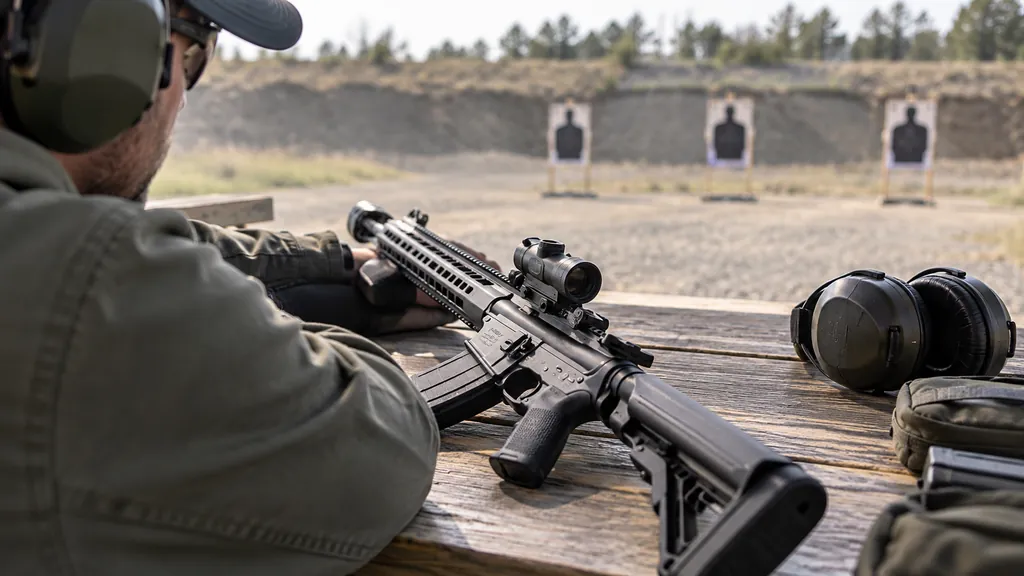
Recoil is where most of your weapon performance is won or lost. Every gun climbs, drifts or bounces in its own way. Some kick hard straight up and are easy to pull down. Others wander sideways and punish long sprays. Learning a pattern in the range is worth more than any chart of R6 weapon stats.
Attachments change how a gun handles. The categories are familiar to anyone who has opened a loadout screen:
- Sights. Magnification changes how much recoil you see and how easy it is to track heads at range.
- Barrels. Options like compensators, muzzle brakes, flash hiders, extended barrels and suppressors each trade something. What each one does has changed over the years, so check current patch notes.
- Grips. These affect handling and recoil feel, and players argue about them every season.
- Under-barrel. A laser, where available, mainly matters for hip-fire.
Testing attachments with your own R6 weapon stats
Here’s a simple test. Pick one gun you use a lot. Play a set number of matches with one attachment setup, note your kills and headshot kills, then switch one attachment and repeat. Change only one thing at a time. After a couple of weeks you’ll have real evidence about your weapon performance instead of a forum opinion.
Be patient with the sample before you trust the new R6 weapon stats. Ten rounds tells you almost nothing. Fifty to a hundred rounds per setup gives you something worth trusting, and even then a bad week can skew it.
Well-known guns and what their stats can teach you
We won’t rank guns or claim current values, because balance changes would make that wrong within a season. Instead, here’s how to think about a few long-standing weapons that show up in most players’ R6 weapon stats.
| Weapon | Type | What to watch in your stats |
|---|---|---|
| R4-C | Assault rifle, attack (long tied to Ash) | Headshot rate and opening kills; a fast entry gun lives or dies on first-bullet accuracy |
| 416-C Carbine | Assault rifle, defense (long tied to Jäger) | Kills per round on roams versus anchors, since defenders use it in very different spots |
| MP5 | SMG, defense (Rook, Doc) | Headshot rate at close range; often picked for support roles, so low kill totals are normal |
| Vector .45 ACP | SMG, very high fire rate | Spray control and drop-off; strong up close, check how your kills hold at longer angles |
Notice the table never says “best.” Your R6 weapon stats with these guns depend on the operator, the role and the maps you play. An R4-C on an aggressive entry player will look nothing like the same gun in the hands of someone who plays slow, droning for the team.
If you want to see how operator choice shapes these numbers, our post on tracking operator performance across your pool pairs nicely with this one.
Common mistakes with R6 weapon stats
Even experienced players misread their R6 weapon stats. These are the mistakes we see most often:
- Judging guns by kill totals. Totals mostly measure play time. Use rates to judge weapon performance.
- Tiny samples. A gun with a dozen kills will swing wildly. Wait for more rounds.
- Ignoring role. Support defenders with SMGs often post fewer kills because they’re anchoring and playing utility.
- Ignoring patches. A balance change can make last season’s damage and usage data useless for that weapon.
- Trusting old charts. Static damage tables online are often years out of date.
- Copying pros blindly. A pro’s loadout fits their role, team and aim. Yours might need something else.
The fix for most of these is the same. Compare rates, not totals, wait for a fair sample, and note the season and patch next to every number you write down.
Mixing modes in your R6 weapon stats
Quick Match, Unranked, Ranked and Dual Front all feel different. Dual Front, the 6v6 respawn mode on District, will inflate kills with whatever you run there. If your tracker splits weapon data by mode, use the Ranked or Unranked view when you judge a gun for competitive play. If it doesn’t split them, keep that in mind when a weapon’s numbers look suspiciously good.
Using our free tools alongside weapon data
Siege Tracker doesn’t pull live data from Ubisoft and doesn’t have a dedicated weapon tracker. We’d rather say that up front than pretend. What our free browser tools do well is help you track the stats around your weapon performance, so you can see whether a loadout change moved the needle.
- The Siege Tracker season tool lets you save snapshots of kills, deaths, headshots, rounds and more. Take one before a loadout change and one after, then compare headshot % and kills per round.
- The operator comparison tool lets you put up to five operators side by side, which helps when two operators share a gun.
- The stat analyzer on the player stats page turns six numbers into K/D, win rate, HS% and kills per round in seconds.
Everything you enter stays in your browser, and you can export, import or delete it whenever you like. Siege Tracker is independent and not affiliated with Ubisoft, and it never asks for your password. No tracker ever needs your Ubisoft password to show public stats.
Turning weapon performance into better loadouts
R6 weapon stats are only useful if they change what you do. Here’s a practical routine that works for most ranked players:
- Find your top three guns by use. These are the ones worth improving.
- Compare their headshot rates. The lowest one is your training focus in the range.
- Check kills per round where possible. This tells you whether the gun wins fights, not just how often you carry it.
- Test one attachment change at a time. Log results for a fair sample.
- Revisit after each patch. Balance changes can flip a gun’s feel overnight.
Pair this with map context too, since weapon performance shifts from map to map. A gun that feels great on tight maps might struggle on long sightlines. Our guide to finding your best and worst maps helps you spot whether a weapon problem is really a map problem.
For the bigger picture of which operators tend to post strong numbers, the older best operators by stats breakdown explains how to read pick and win rates without overreacting to them.
R6 Weapon Stats FAQ
Where can I see my R6 weapon stats?
Start by signing in to Ubisoft’s official stats page on ubisoft.com and checking what it shows for your account. For per-gun breakdowns, third-party trackers are the usual option, and Tracker Network’s Overwolf desktop app lists weapon stats among its features on Windows. Availability changes, so check what each tracker offers today before relying on it.
Do R6 weapon stats show exact damage values?
Personal tracker pages usually show your kills and headshots per weapon, not the gun’s built-in damage. Some fan sites publish damage tables, but those can go stale after balance changes. Read the official patch notes for the current season, and treat any damage chart you find as a rough guide until you’ve confirmed it.
Is a high kill count with a gun a sign it’s good?
Not really. A high kill total mostly means you play that weapon’s operator a lot. Headshot percentage and kills per round are better signs of weapon performance, because they account for how much you use the gun. Compare rates across weapons you’ve used for similar amounts of time.
Why don’t my weapon stats match my overall K/D?
Your overall K/D blends every gun, operator, map and mode. Weapon performance on one gun can be well above or below it, especially if you use it in a specific role like anchoring or entry. Deaths also aren’t always tracked per weapon, so the two numbers measure different things. Our K/D tracking guide explains the overall figure in detail.
How many rounds do I need before weapon data means anything?
There’s no official cutoff, but a few dozen rounds with a gun is the minimum before you read much into it. Fifty to a hundred rounds is a more comfortable sample. Always note the season and patch next to your R6 weapon stats, because balance changes can make older weapon data misleading.
Getting real value from weapon performance tracking
The best way to use R6 weapon stats is as a feedback loop, not a scoreboard. Pick a gun, practice its recoil, track your headshot rate and kills per round, change one thing, and check again. Keep damage and usage notes for each loadout so you can see what actually changed. Over a season that habit will teach you more than any tier list.
Start today by noting your top three weapons from whatever tracker you use, then run your overall kills, deaths, wins and losses through the free K/D and win rate calculator so you have a baseline to beat next week.