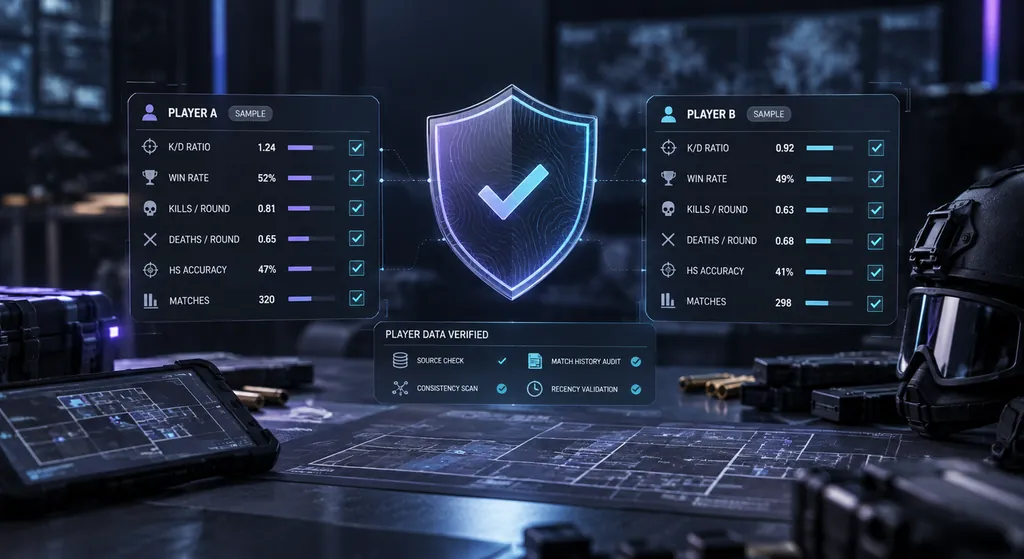
Siege Tracker R6 stats data accuracy guidance explains how to read Rainbow Six Siege stats correctly, why numbers can differ between sources, and how to report an error. Our tools calculate from the values you enter, so accurate inputs lead to accurate results.
Our correction process is simple and transparent. Here is a step by step breakdown of how we review reported errors in our guides, formulas and calculators.
01
02
03
04
05
Issue Spotted
You notice a result or explanation that looks wrong, such as a K/D ratio that does not match your in-game career screen, a win rate that seems off, or a rank fact that is out of date. Before anything else, note the page or tool you used, the values you entered, the result you saw, and your platform. These details are what make an error possible to review.
Check In-Game First
Compare your numbers with the career or ranked screen in Rainbow Six Siege. Many differences come from mixing seasonal and lifetime stats, using values from another platform, or checking right after a match before the game has updated. If the in-game numbers and your inputs match and the result still looks wrong, the issue may be on our side.
Report Through Contact
Send the details through our contact page and choose "Report a data issue" as the subject. Include the page URL, the exact numbers you entered, the result you expected, and the result you got. Never include your Ubisoft password or login details. We do not need them and will never ask for them.
Formula Review
We check the formula behind the result, the wording of the explanation, and any example data on the page. Standard formulas are used throughout: K/D = kills ÷ deaths and win rate = wins ÷ (wins + losses) × 100. If the difference comes from in-game data rather than our math, we explain why.
Correction Published
When something on this site is wrong, we fix the page or tool and update the explanation where needed. Outdated rank facts, unclear examples and formula mistakes are corrected as soon as they are confirmed, so every reader benefits from the report you sent.
Most stat differences fall into a few predictable categories. Knowing them helps you check your numbers quickly and send a useful report when needed.
Interpreting Stats
A stat only makes sense in context. A high K/D over a few ranked matches says less than a steady one over a full season. Always compare seasonal with seasonal and lifetime with lifetime, and read K/D alongside win rate.
Delayed In-Game Updates
Career and ranked screens do not always refresh the moment a match ends. If your numbers look behind, wait a little, restart the game, and check again before entering them. Season resets can also change what a screen shows.
Missing or Unavailable Player Data
This site has no player search or live data feed, so we cannot look up any profile. If a stat is missing from your in-game screen or a third-party tool, the data may not be published there. We can only work with what you enter.
Platform Mismatches
Stats can be tracked separately on PC, PlayStation and Xbox. Mixing values from different platforms, or from a linked account, produces results that match no single screen. Enter numbers from one platform at a time for a clean result.
Changed Usernames
If you changed your Ubisoft username, some third-party sites may still show the old name or split your history. Check that you are reading the correct player profile, and remember that this site never stores usernames.
Reader-Entered Calculations
The Stat Analyzer and K/D calculator only process the numbers you type in. A typo, a missing zero, or values from different seasons will change the result. Double check each field before deciding a formula is wrong.
Data accuracy on any stats site depends on two things: the numbers going in and the method used to read them. This section goes further than the checklist above. It explains how guides here are reviewed, why R6 stats accuracy varies between screens and trackers, and how you can verify a figure on your own before you send a report.
In this guide
How Our Editorial Review Supports Data Accuracy
Every guide on this site starts from sources you can check yourself: the in-game career and ranked screens, official patch notes and the standard formulas listed on each page. Nothing is scraped from player accounts, and no number is presented as real unless it comes from a source you can open. Example figures are labelled as examples, so you always know which values are illustrative.
Data accuracy is not a one-time job. Rainbow Six Siege changes every season, so guides are reviewed when the game changes in ways that affect them, such as a ranked update, a new operator or a reworked map. Reader reports sent through the contact page add a second layer of review, because players often notice an outdated detail before a scheduled check would.
Why In-Game Screens and Third-Party Trackers Disagree
It is normal for the same player to show slightly different numbers in different places. The game itself is the original record, while third-party trackers rely on whatever data they can access and on their own rules for counting it. Those rules are rarely identical, and small differences in definition add up across hundreds of matches.
The most common causes of a mismatch are:
Match types. One source may count only ranked matches, while another mixes in unranked, quick match or event modes.
Update timing. A tracker refreshes on its own schedule, so it can lag behind the game by hours or more.
Abandons and rollbacks. Matches that were cancelled, left early or rolled back may be counted by one source and dropped by another.
Definitions. Matches played and rounds played are very different totals, and a per-match stat is not a per-round stat.
When two sources disagree, treat the in-game screen as your reference for data accuracy and use trackers for trends rather than exact figures.
Checking each input against the in-game screen is the first step to accurate results.
Rounding Can Change the Number You See
Rounding is the quietest source of disagreement. Suppose you have 1,234 kills and 1,000 deaths. The exact K/D is 1.234. One screen may show 1.23, another 1.2, and a third might keep all three decimals. None of them is wrong. They simply keep a different number of decimal places.
Win rate works the same way. With 103 wins and 97 losses, the exact win rate is 51.5%. Depending on the source, that can display as 51.5%, 52% after normal rounding, or 51% if the value is cut off instead of rounded.
For good data accuracy, always calculate from raw totals, never from a figure that has already been rounded. If you multiply a rounded K/D by your deaths to estimate kills, the error grows with every match. Raw kills, deaths, wins and losses give you the cleanest result in the K/D & Win Rate Calculator.
Seasonal Resets and Data Accuracy
Ranks reset at the start of each season, and the seasonal view of your stats starts again from zero. Lifetime totals keep growing. That split explains a large share of data accuracy questions, because a reset can make a strong player look brand new for the first few days of a season.
Keep these points in mind around a reset:
Seasonal K/D and win rate swing hard early in a season because the sample is tiny.
Third-party trackers may archive the old season at a different moment than the game does.
A rank shown on a tracker may still reflect last season until that source refreshes.
Lifetime figures change slowly, so a big seasonal jump barely moves them.
If a number looks strange right after a reset, wait until you have played a reasonable number of ranked matches, then compare like with like. Our guide to season vs lifetime R6 stats covers this split in more detail.
Seasonal stats restart each season while lifetime totals keep growing.
Platform and Crossplay Splits
Rainbow Six Siege runs on PC, PlayStation and Xbox, and crossplay and cross-progression mean that some parts of your account are shared while others may not be. Which stats are combined and which are kept per platform has changed over the life of the game, so the safest habit is to check the platform filter on every screen you read.
Third-party trackers add another layer. Many list a separate profile for each platform, and a linked Ubisoft account can appear under more than one name or ID. Adding a PC total to a console total produces a figure that no single screen will ever show, which looks like a data accuracy problem even when every input is correct.
For reliable R6 stats accuracy, take every input from one platform and one source in a single sitting. If you play on several platforms, analyze each one separately in the Stat Analyzer, then compare the results side by side instead of merging the raw totals.
How to Check Data Accuracy Yourself
You do not need special access to verify a stat. A few minutes with your career screen and a calculator is enough to confirm whether a number holds up.
Open your in-game career or ranked screen and note the season, playlist and platform shown.
Write down the raw totals: kills, deaths, wins, losses and, if available, headshots.
Recalculate by hand. As a worked example, 120 kills and 100 deaths give K/D = 120 ÷ 100 = 1.20, and 60 wins with 40 losses give a win rate of 60 ÷ 100 × 100 = 60%.
Enter the same totals into a calculator and compare the outputs.
Check the match count. Wins plus losses should equal the total matches shown. If they do not, the screen may list unfinished or abandoned matches separately.
Only then compare against a third-party tracker, using the same season and platform.
If your hand calculation and the in-game screen agree, the data accuracy of your inputs is confirmed. Any gap left after that is a question of source or definition, not arithmetic.
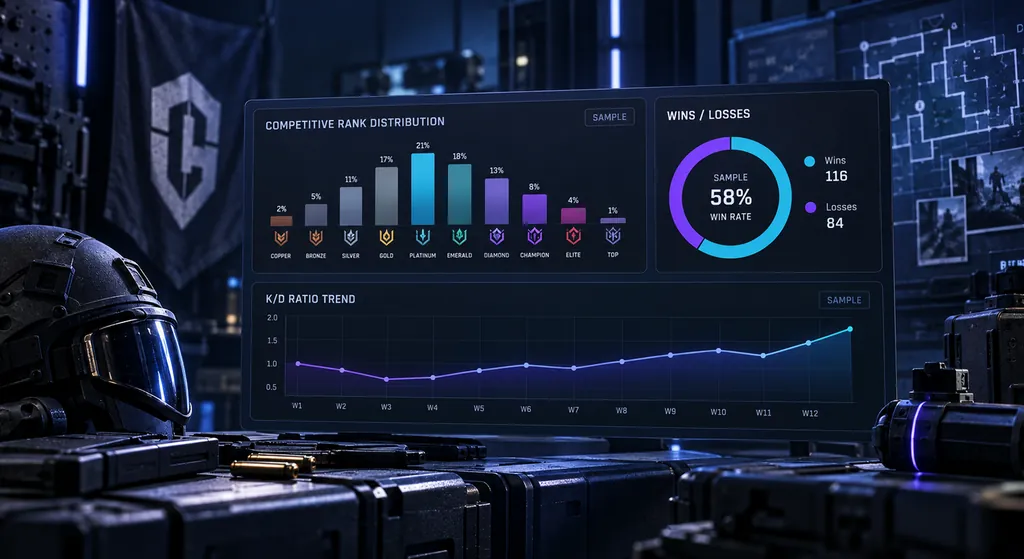
A distribution is only as reliable as the players it is built from.
Reading Percentiles and Distributions With Care
Many trackers place you on a chart, such as a rank distribution or a top percentage badge. These are useful, but their data accuracy depends on who the chart is built from. A third-party percentile is usually based only on the players that site tracks, not on everyone who plays Siege, so it can lean towards engaged players who look themselves up often.
Ask three questions before trusting a distribution:
Which players are included, and roughly how many?
Which season, platform and playlist does it cover?
When was it last updated?
If a chart does not answer those questions, read it as a rough guide, not a precise ranking. Good R6 stats accuracy comes from knowing what a chart leaves out as well as what it shows. Our R6 rank distribution guide explains how to read these charts without overreading them.
What Makes a Strong Error Report
The tips above cover the essentials. A report becomes even easier to act on when it tells the reviewer what kind of problem it is. Most reports fall into one of four groups:
Formula issue. The math on a tool or guide gives the wrong answer for correct inputs.
Outdated fact. A rank, operator or map detail no longer matches the current season.
Unclear wording. The explanation is technically right but easy to misread.
Tool behaviour. A field, button or result does not work as described.
Keep each report to one issue so it can be checked and closed cleanly. For an outdated fact, point to where you saw the current information, such as the in-game screen or the official Rainbow Six Siege site. For a formula issue, list the inputs and the result you expected, worked out by hand. Focused reports like these make stat corrections faster and improve data accuracy for every reader.
Most mismatches cluster around match types, timing and platform filters.
Stat Corrections and the Limits of Data Accuracy
When a report is confirmed, the fix goes into the page or tool itself, and related guides are checked for the same mistake so it does not survive somewhere else. Example data is updated if it was misleading, and wording is rewritten when the issue was clarity rather than math. Stat corrections are made on the live page, so the current version is always the one you read.
Some problems sit outside this site. Siege Tracker has no live data feed and no access to Ubisoft systems, so it cannot change what your career screen shows or what a third-party tracker reports. If you believe your in-game stats or rank are wrong, raise it with Ubisoft Help. Problems with a tracker belong with that tracker’s own support.
Being clear about those limits is part of data accuracy too. This site controls its formulas, explanations and examples, and those are what it works to keep correct.
Simple Habits That Protect Your Data Accuracy
Most stat mix-ups can be avoided with a routine you repeat every time you record your numbers. Small habits like these save you from chasing an error that was never there.
Record your stats at the same point each week, after the game has had time to update.
Write the season and platform next to every set of numbers you save.
Keep raw totals, not just ratios, so you can recalculate later.
Take a fresh snapshot right before and right after a season reset.
Use one tracker for trends and the in-game screen for exact figures.
Our guide on how to track R6 stats builds a full routine around these habits, so your data accuracy holds up across a whole season.
Following these guidelines helps us review your report through the contact page quickly and correct any issue on this site.
Include the Page URL
Tell us exactly which guide, calculator or Stat Analyzer page you used. A direct URL lets us open the same page, check the same formula and reproduce your result, which makes confirming and fixing an error much faster for everyone involved.
Verify In-Game
Before reporting, compare your inputs with your in-game career or ranked screen. Confirm that every value comes from the same season or lifetime range and the same platform, since most mismatches come from mixed inputs rather than a broken formula.
Share Exact Values
List the kills, deaths, wins, losses or headshots you entered, the result you got, and the result you expected. Precise numbers let us repeat the calculation step by step and see whether the issue is in our formula or in the input data.
Use the Contact Form
Send reports through our contact form and pick "Report a data issue" as the subject so nothing gets missed. Leave out passwords and login details entirely. We never need them, and no legitimate stats site will ever ask for them.