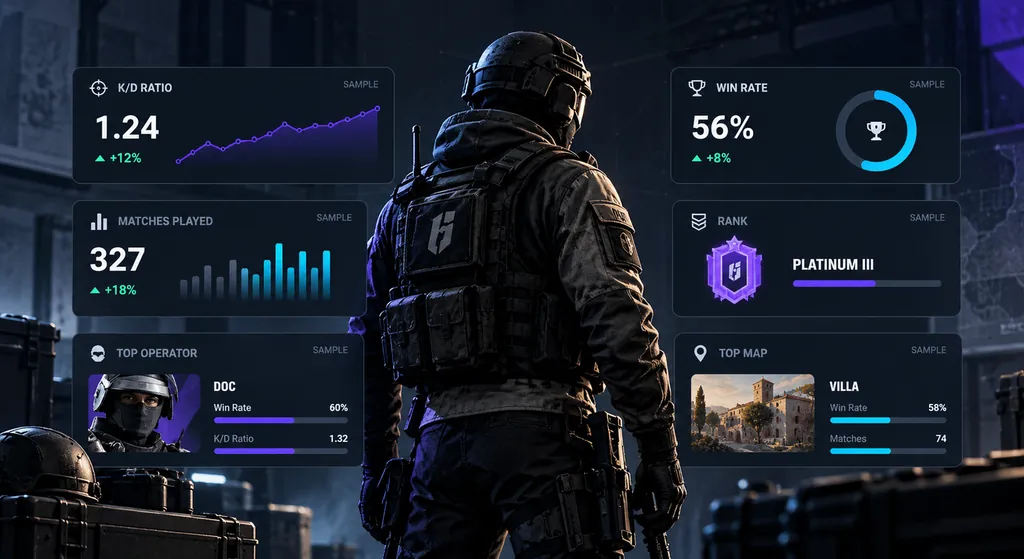
Siege Tracker R6 stats guide explains R6 stats in plain language: what each Rainbow Six Siege number measures, how to read it, and the misreads that lead players to the wrong conclusions. Use it alongside your in-game career screen to understand your K/D, win rate, rank and operator stats.
Core Performance Metrics
The four player stats almost every R6 tracker shows first, and how to read them correctly.
K/D Ratio — Kills ÷ Deaths 01
K/D ratio divides your kills by your deaths. A K/D around 1.0 means you win roughly as many gunfights as you lose; above 1.0 means you get more kills than you give up. Read it next to your role: anchors and support players often post lower K/Ds while still winning rounds. Common misread: treating a high K/D as proof of impact when the kills came after the round was already decided.
Win Rate — Wins ÷ Matches 02
Win rate is wins ÷ (wins + losses) × 100. It is the stat most closely tied to rank progression, because Rank Points move with match results, not with kills. Read it over at least a few dozen ranked matches, since short streaks swing it hard. Common misread: comparing a solo-queue win rate with a five-stack win rate as if both came from the same conditions. Abandons and draws can also be counted differently between sources.
Headshot % — Aim Quality 03
Headshot % is headshot kills ÷ total kills × 100. In Rainbow Six Siege a headshot is usually lethal, so this stat reflects crosshair placement and first-shot accuracy. Read it alongside your weapon choices: shotgun, LMG and explosive kills pull it down. Common misread: a very high headshot % on a tiny number of kills says little, and it does not measure how often you win a duel.
Kills per Match — Output 04
Kills per match is total kills ÷ matches played. It shows how much fragging volume you bring, which K/D alone hides: a cautious player can hold a 1.2 K/D with few kills, while an aggressive entry posts more kills and more deaths. Read it with kills per round when available, because match length varies. Common misread: comparing it across modes with different round counts.
Rank and Role Metrics
The ranked, sample and role stats that explain why two similar K/Ds can mean very different things.
Rank Points (RP) — Ranked
Rank Points are what you gain or lose after each ranked match, and they decide your visible rank from Copper up to Champion. Gains and losses depend on the result and the opposing team's rank, so two players with the same win rate can climb at different speeds. Ubisoft adjusts the exact RP values and thresholds between seasons, so always read RP within the current season.
MMR — Now Removed
MMR was the hidden skill rating older ranked versions used to pick opponents and scale RP. Ranked 3.0 removed it, and matchmaking now uses Rank Points only. Any site still showing an exact MMR value is estimating a system that no longer exists. Read your RP changes per match instead, along with the rank of the teams you faced. Common misread: treating an estimated MMR as an official Ubisoft figure.
Matches Played — Sample
Matches played is the sample size behind every other stat. Ten matches can make anyone look like a Champion or a Copper. As a rule of thumb, treat K/D and win rate as rough until you have dozens of matches in the same mode and season. Common misread: comparing a 20-match season to a 2,000-match lifetime record and drawing firm conclusions.
Entry Kills — Opening
Entry kills count the first kill of a round. Winning the opening duel gives your team a 5v4 and is one of the strongest round-level signals of impact. Read entry kills next to entry deaths: a high entry count with an even higher entry death count means you are opening rounds, but often losing them.
Operator Stats — Per Operator
Operator stats split your K/D, win rate, kills and time played by operator. They show which picks actually win rounds for you, not just which ones you enjoy. Read them with time played: an operator you used for three rounds tells you very little. Compare attackers with attackers and defenders with defenders.
Map Stats — Per Map
Map stats show your win rate and K/D on each map in the ranked pool. They point to the maps where you lack site knowledge, rotations or spawn routes. Read them as a study list, and remember the map pool changes between seasons, so older maps can distort lifetime map stats.
Reading Your Stats in Context
The same Rainbow Six Siege stats can mean very different things depending on the season, mode and sample they come from.
Seasonal vs Lifetime
Lifetime stats cover every match you have played on the account, sometimes across years of updates, map reworks and operator changes. Seasonal stats only cover the current season. If you want to know how you play right now, the seasonal view is the better mirror, because your early-account habits are still baked into the lifetime numbers.
Rank resets each season, and five placement matches with boosted RP gains set your new starting rank. That is why seasonal K/D and win rate are the fairest numbers to compare against your current rank. A lifetime K/D of 0.9 with a seasonal K/D of 1.1 usually means real improvement, not a lucky streak, as long as the seasonal sample is large enough.
Use lifetime stats for long-term trends, such as which operators you have played most or how your headshot % has developed. Use seasonal stats for current form and rank goals. When you enter numbers into our Stat Analyzer, keep each set from the same scope so the results stay comparable.
Ranked vs Unranked & Casual
Ranked, Unranked and Quick Match play very differently. Casual lobbies have looser matchmaking, different rules and less coordinated opponents, so K/D and win rate there usually run higher than in Ranked. Mixing all modes into one overall number hides how you perform in the matches that move your rank.
When you check your stats in-game or on your Ubisoft profile, filter to Ranked first. That is the mode where Rank Points, placement matches and rank progression apply, and where opponents are matched closest to your rank. A small drop from casual to Ranked is normal; a big one points to habits that only work against weaker lobbies.
Platform matters too. PC, PlayStation and Xbox have separate competitive environments, and input differences change aim stats like headshot %. Compare your numbers against players on the same platform and mode, and against your own previous seasons, rather than against a highlight clip or a single pro player.
Common Mistakes Reading R6 Stats
The misreads that most often lead Rainbow Six Siege players to wrong conclusions about their own performance and rank.
Trusting Tiny Samples
Five matches is a mood, not a trend. Before you decide a new operator, sensitivity or role is working, collect a few dozen ranked matches and compare the same stats over the same mode.
Ignoring Your Role
Support players, anchors and roamers produce different stat lines. A hard-breach or utility player can win rounds with a modest K/D. Judge your numbers against what your role is meant to do.
Chasing K/D Over Wins
Rank Points come from match results, not kills. Playing passively to protect K/D can lower your win rate. If K/D rises while win rate drops, your stat line is improving while your rank stalls. First-person impact matters more than the scoreboard.
Comparing Across Modes
Quick Match, Unranked and Ranked lobbies are not equal. Compare Ranked stats with Ranked stats, on the same platform, and seasonal numbers with seasonal numbers, or the comparison tells you nothing useful about your rank.
Trusting MMR Estimates
Ranked 3.0 removed hidden MMR. Any MMR still shown by a third-party site is an estimate, not an Ubisoft figure. Rely on your RP gains and losses per match for a real read of where you stand.
Reading One Stat Alone
No single number tells the full story. Read K/D with kills per match, win rate with matches played, and headshot % with weapon choice. Our Stat Analyzer shows these together so you see the full picture.
R6 Stats Quick Reference Table
Formulas, break-even points and how many matches each core Rainbow Six Siege stat needs before it tells you something real.
R6 Stats Guide Deep Dive | Derived Metrics, Roles and Benchmarks
This part of the R6 stats guide goes beyond the core numbers. It covers derived metrics like survival and clutch rates, how to read Rainbow Six Siege stats by role and side, interpretation bands you can apply to your own profile, a quick glossary, and how to put it all to work in the free calculators.
In this guide
Derived Metrics Worth Calculating Yourself
Most profiles show totals, but some of the most useful numbers are ones you work out from those totals. Any R6 stats guide should treat these as context, not replacements for K/D and win rate.
Deaths per round. Deaths ÷ rounds played. Lower means you stay alive more often, which matters for every role.
Survival rate. Rounds survived ÷ rounds played × 100. A useful check for anchors and support players whose K/D looks modest.
Assists per round. Assists ÷ rounds. It shows contribution through damage and utility that never becomes a kill.
Multi-kill rounds. Rounds with two or more kills. They hint at how often you swing a round on your own.
Only calculate a derived metric when the raw values are actually shown for your view. If rounds played is missing, do not estimate it from matches, because round counts per match vary.
Clutches, Trades and KOST-Style Thinking
Some of the most important moments in Siege never show clearly on a scoreboard, so this R6 stats guide uses three ideas to read them.
Clutches are rounds won when you are the last player alive against one or more enemies, often written as 1v1, 1v2 and so on. Treat clutch counts carefully, because they depend on how often you end up last alive, which varies by role.
Trades happen when you kill the enemy who just killed a teammate. A high trade count suggests good spacing and teamwork.
KOST-style thinking asks one question per round. Did you get a kill, survive, or get traded? Rounds where you did none of these usually mean you gave the enemy a free advantage. Few profiles track this directly, but you can note it while reviewing a match.
Each tile defines one core stat so you can read a profile quickly.
Reading Stats by Role With This R6 Stats Guide
The same Rainbow Six Siege stats mean different things depending on the job you play. Use this R6 stats guide to set role-based expectations before judging yourself.
Entry. Expect more deaths and a lower survival rate. Judge entry kills against entry deaths, and whether your team wins the rounds you open.
Support. K/D can sit lower. Look at assists, win rate and how often you survive to use utility late.
Anchor. Survival rate and late-round kills matter more than kills per match.
Roamer. Watch time-wasting impact through win rate and trade outcomes, plus how often you die early without trading.
Flex. Compare yourself per operator, because your role changes from round to round.
Whenever possible, read your operator stats grouped by role so a support pick is not judged against an entry pick.
Attack and Defence Splits Explained
Attack and defence are almost different games. Attackers start with less information and have to push into prepared positions, while defenders set up and wait. Any honest R6 stats guide has to account for that, because it shows up in your numbers. Rainbow Six Siege stats split by side often explain more than any overall figure.
When your profile separates sides, compare attack with attack and defence with defence. A large gap is normal and points to where your practice time should go. A player with a strong defence K/D and weak attack numbers may need to work on droning and entry timing, not raw aim.
Pay attention to win rate by side too. If you win far more defence rounds than attack rounds, study attack plans for the maps where the gap is biggest. The attacker and defender stats guide goes into more detail on reading each side.
Read a profile section by section rather than fixating on one number.
R6 Stats Guide Interpretation Bands
Think of these bands as R6 stats explained in plain ranges. They describe what a number usually tells you about your games. They are interpretation ranges, not population averages, and they work best on a seasonal ranked sample of several dozen matches.
Metric and band
What it usually means
K/D below 0.8
You lose most duels. Check peeking and positioning first.
K/D 0.8 to 1.0
Close to even. Small habit changes can tip it.
K/D 1.0 to 1.2
You win slightly more duels than you lose.
K/D above 1.2
Strong duelling. Check that win rate keeps up.
Win rate below 45%
Rounds slip away. Review utility and team play.
Win rate 45% to 55%
Roughly even results for your current rank.
Win rate above 55%
You are likely to climb if it holds.
Bands shift with rank, because opponents get stronger as you climb. A steady K/D in a higher rank can be better than a higher K/D in a lower one.
Where Rank Fits Into Your Stat Reading
Rank is a result, not a skill measurement on its own. In the current ranked system you gain or lose Rank Points each match, and your rank runs from Copper up to Champion. Ranks reset each season, so a rank always belongs to a specific season.
Read your stats against the rank you are playing at right now. A K/D near 1.0 means something different at Copper than at Diamond, because the opponents are different. That is why this R6 stats guide recommends comparing yourself with your own previous seasons rather than with players at other ranks.
Rank is a result of match wins and resets every season.
A Worked Example Comparing Two Stat Lines
Here is a made-up example to show how R6 stats explained in context can flip a first impression. Both players have played 40 ranked matches this season on the same platform.
Player A. 380 kills, 320 deaths, 18 wins, 22 losses. K/D 1.19, win rate 45%.
Player B. 290 kills, 300 deaths, 24 wins, 16 losses. K/D 0.97, win rate 60%.
At a glance, Player A looks stronger. But Player B wins more matches, which is what moves Rank Points. Player B may be playing support, trading well or using utility at the right time.
Player A should check whether kills come early in rounds that are later lost. The lesson from this R6 stats guide is simple. Never rank two players on K/D alone. Learn more in how to read an R6 player profile.
R6 Stats Guide Quick Glossary
KPR. Kills per round. Kills ÷ rounds played.
DPR. Deaths per round. Deaths ÷ rounds played.
Opening duel. The first gunfight of a round, won by an entry kill or lost by an entry death.
Trade. Killing the enemy who just killed your teammate.
Refrag. Another word for a trade kill.
Clutch. Winning a round as the last player alive on your team.
Ace. One player getting all five kills in a round.
RP. Rank Points, gained or lost after each ranked match.
Sample size. The number of matches, rounds or kills behind a stat.
Seasonal stats. Numbers from the current season only.
Lifetime stats. Every match on the account.
Keep this R6 stats guide glossary handy when reading any profile, and use the K/D ratio explained guide for the most common stat in depth.
K/D shows duel balance, but it never tells the whole story alone.
Using This R6 Stats Guide With the Calculators
Having R6 stats explained is only half the job. Put this R6 stats guide to work with a short routine.
Copy kills, deaths, wins, losses, headshots and matches from your in-game career screen, filtered to ranked and the current season.
Enter them into the Stat Analyzer to see K/D, win rate, headshot % and kills per match together.
Use the K/D & Win Rate Calculator to test what-if scenarios, such as how many wins you need to lift your win rate.
Compare each result with the interpretation bands and your role expectations above.
Write down one focus for your next block of matches.
Both tools run in your browser. Nothing is stored or sent, and Siege Tracker never asks for your password. For the wider statistical picture, read the R6 statistics guide next.
Check Your Own R6 Stats
Copy the numbers from your in-game career screen into the Stat Analyzer to see your K/D, win rate, headshot % and kills per match. Nothing is stored or sent, and we will never ask for your password.