
An R6 live match tracker sounds like the perfect tool. You load into a ranked game, glance at a second screen, and see every opponent’s rank, K/D and favorite operator before the first drone goes out. That’s the promise a lot of search results make. The reality is more limited, and in a few places it’s a lot less safe than people assume.
Most players searching for a live match view want one of three things. They want to know who they’re up against, they want in-match stats on their own performance as the game happens, or they want a quick way to review a match the moment it ends. Some of that is possible, some of it isn’t, and some of it is better done between games anyway.
This guide explains what a live match tool can honestly do in Rainbow Six Siege in 2026, what the best-known desktop app actually offers, where the fair-play lines sit, and a set of between-match habits that will improve your play more than any second-screen scoreboard.
What an R6 live match tracker really is
An R6 live match tracker is any tool that shows information about a match while it’s being played, or right as it ends. In practice, there are only a few kinds.
- The in-game scoreboard. Siege’s own scoreboard shows the basics of the live match, and after Ranked games the post-match report shows the Rank Points you gained or lost.
- Desktop companion apps. On PC, some third-party apps run alongside the game and show a scoreboard with extra profile data pulled from their own databases.
- Websites you check by hand. You type a name into a stats site during a break and read that player’s public profile.
Notice what’s missing. There’s no tool that reads hidden information from your match, like enemy positions or loadouts, in any way that’s allowed. Anything claiming to do that isn’t a tracker. It’s a cheat, and we’ll get to why that matters.
Our own site sits in the third group and does even less. Siege Tracker doesn’t pull data from Ubisoft at all. You enter your numbers, and the tools do the math. That’s deliberate, because it keeps your account out of the picture entirely.
What in-match stats can and can’t show
Before you install anything, it helps to be clear about the limits of any R6 live match tracker. Here’s a plain comparison of what you can realistically see during a live match.
| Information | Available during a match? | Where it comes from |
|---|---|---|
| Your kills and deaths this match | Yes | The in-game scoreboard |
| Your round-by-round in-match stats | Partly | Scoreboard during play, tracker sites later |
| Rank Points gained or lost | After the match | The Ranked post-match report |
| Other players’ public profile stats | Sometimes, with a delay | Third-party databases, which can lag |
| Hidden MMR | No | Removed in Ranked 3.0 |
| Enemy positions or loadouts | No, and never legitimately | Only cheats claim this |
Why an R6 live match tracker shows old numbers
Third-party sites build their profiles from data they collect, and that data can miss matches or update late. SiegeGG notes that platform data may not sync instantly. So the in-match stats a companion app shows for an opponent often describe how they played last week, not how they’re playing right now. Treat those numbers as background, not a scouting report. The faster a live match moves, the less a week-old profile tells you about it.
Why there’s no MMR in any R6 live match tracker
Ranked 3.0, which went live with Y11S2 System Override in June 2026, removed hidden MMR. Matchmaking now uses Rank Points only. If a live match overlay claims to show an MMR number, it’s either an estimate or an outdated label. Rank and RP are the real numbers.
The Tracker Network desktop app, by the facts
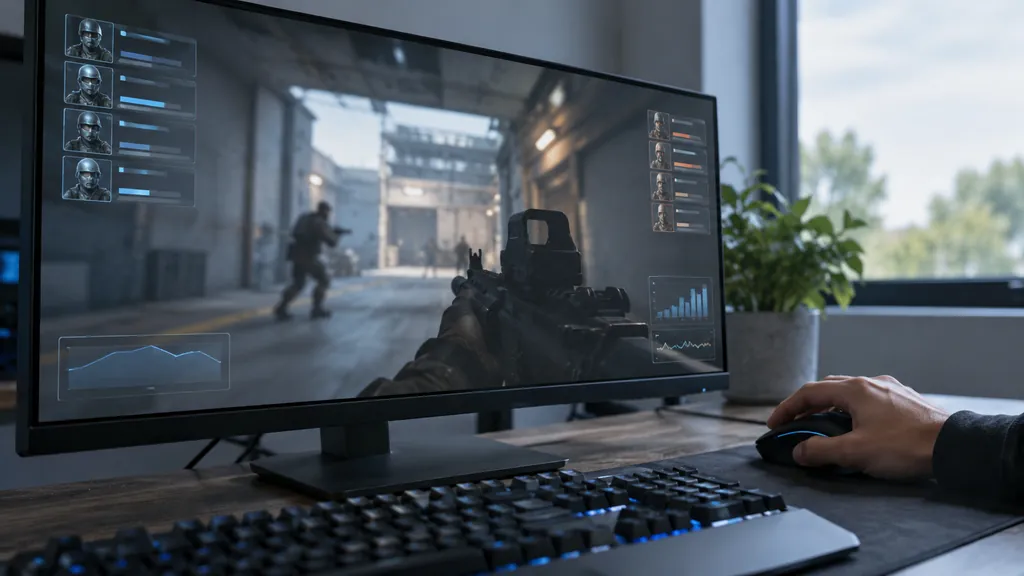
The best-known R6 live match tracker on PC is Tracker Network’s desktop app, which runs on the Overwolf platform. Here’s what’s documented about it in Tracker Network’s own version 3.0 announcement.
- Platform. It’s Windows-only and not available on console.
- Version. Version 3.0 was released on October 1, 2022. Check the current version and availability before you install, since apps change.
- Features. Match history, an advanced live scoreboard, operator, map and weapon stats, and optional highlight clips.
That live scoreboard is what most people mean when they search for an R6 live match tracker. It shows information about the players in your lobby based on Tracker Network’s data. The same company runs the R6 Tracker website on r6.tracker.network and tracker.gg, which covers ranks, win rate, K/D, headshot percentage, match scorecards and operator breakdowns.
If you play on Xbox or PlayStation, there’s no equivalent console app. Console players who want in-match stats are limited to the game’s own scoreboard, plus a phone or second screen for checking a website between rounds. Our guide to the R6 tracker overlay covers the overlay question in more detail.
Installing a desktop live match tool safely
If you decide to try a companion app on PC, treat the install like any other software that sits next to your game. A little care up front avoids most problems.
- Get it from the developer’s own site or the Overwolf platform, never from a re-upload or a file shared in chat.
- Read the permissions it asks for. A live match scoreboard shouldn’t need your Ubisoft password.
- Keep it updated, and uninstall it if it stops being maintained.
- Remember that its in-match stats come from its own database, so they can be late or incomplete.
None of that makes an R6 live match tracker officially approved. It just keeps your PC and account safer while you decide whether the tool is worth it.
It also helps to know about R6 ShieldGuard. With the June 2025 Siege X update, Ubisoft brought its anti-cheat tools together under that name and added live security updates. Ubisoft hasn’t published how it treats any particular third-party app, so we won’t guess. What it does tell you is that the game is actively watching for programs that give unfair advantages, which is one more reason to stay well away from anything sold as a hidden-information live match tool.
Fair play and an R6 live match tracker
This is the part that matters most, and it’s where a lot of articles get vague. Here’s what’s actually on the record.
What Ubisoft’s rules say
Ubisoft’s Player Protection Core Rules, dated July 31, 2026, ban installing, running or using programs designed to give unfair advantages. That applies even if a cheat is only possessed and never used. Macros, automation devices, account sharing and rank boosting are also banned. Penalties can go up to and including a permanent ban on all accounts.
The Core Rules don’t mention overlays or stat sites by name. Ubisoft hasn’t said that Overwolf, R6 Tracker or any other overlay is explicitly allowed or banned. So we can’t tell you a specific app is approved, and nobody else honestly can either. What we can say is that the rule is about unfair advantage, so a live match tracker that only shows public profile data is a different thing from one that claims to reveal hidden information.
Red flags in any live match tool
- It promises enemy locations, wallhack-style views or anything the game hides from you.
- It asks for your Ubisoft password or offers to log in on your behalf.
- It’s a download from a random link, a video description or a Discord DM rather than an official source.
- It offers rank boosting, account sharing or macros as a feature.
- It claims to show your current MMR.
Any one of those is reason to walk away. Ubisoft says its representatives will never ask for your password, payment details or login credentials, and phishing messages often ask for personal details or contain typos. Turn on 2-Step verification with an authenticator app. Our account and tracker safety guide lists the steps.
Is it worth checking in-match stats at all?
Here’s an honest take from years of ranked games. Staring at in-match stats mid-round rarely helps, and it often hurts.
Say Player A, an example player, sees that an opponent has a high K/D on a companion scoreboard. Player A plays scared, holds a passive angle and loses the round to a flank. The opponent’s number was from weeks of different matches and different teammates. It told Player A nothing about the round in front of them, and it changed how they played for the worse.
Your own in-match stats can be just as distracting. Dropping to 1 and 4 by round three doesn’t mean the game is lost. Rounds swing, and Siege rewards the player who keeps making good decisions. If you’re checking your K/D every round, you’re probably not thinking about the next site setup.
There’s also a mental cost. Every glance at a live match overlay is a second you’re not listening to footsteps or reading the killfeed. Good players use the downtime between rounds to talk through the next setup, not to check in-match stats. If your team is losing, the fix is usually a call or a rotation, and no R6 live match tracker can make that call for you.
The useful window for numbers is between matches, not during them. That’s where you can look at a full game, compare it with your last few and spot a pattern.
Better habits than an R6 live match tracker
If you want feedback that actually changes how you play, more than any live match readout ever will, build a short routine around the end of each session. It takes a few minutes and works on every platform.
Right after the match
- Read the post-match report. In Ranked, note the RP you gained or lost.
- Write down the key numbers. Copy your in-match stats from the scoreboard, meaning kills, deaths, and whether you won or lost. Add headshot kills and rounds if you can.
- Note one moment. One death you’d play differently. Keep it to a sentence.
At the end of the session
- Add up the session. Total kills, deaths, wins, losses, headshot kills and rounds.
- Save a snapshot. Enter them into the free Siege Tracker season tool, which shows K/D, win rate, headshot percentage, kills per round and the change since your last snapshot.
- Check one trend. Is your K/D on defense better than on attack? Is your win rate dropping late in long sessions?
For quick math on one game, the K/D and win rate calculator does it in seconds. K/D is kills ÷ deaths, win rate is wins ÷ (wins + losses) × 100, headshot percentage is headshot kills ÷ kills × 100, and kills per round is kills ÷ rounds.
If you want a fuller picture of past games, our guide to R6 match history explains how to review previous matches on third-party sites and what their scorecards mean.
Checking opponents without an R6 live match tracker
You don’t need a desktop app to learn something about a lobby. A phone and a few seconds between matches does the job on any platform, and it keeps your attention on the game while the live match is running.
- Note the name and platform. Write down the exact name from the scoreboard. PC names are Ubisoft names, and console players show their platform name.
- Search a stats site after the match. Type the name into a third-party tracker in your phone or desktop browser. Check current availability, since sites go down or change.
- Look at the current season first. Lifetime numbers can describe a player from years ago.
- Check the match count. A high K/D over a handful of games tells you very little.
- Watch for lookalike names. Names change, and similar spellings often belong to different people.
Our guide on how to read an R6 player profile explains each part of a profile page in more depth. Doing this after the game gives you the same information a live match overlay would, minus the distraction, and it works on Xbox and PlayStation where no companion app exists.
One honest caveat applies here too. A profile is a summary of past games, not a forecast. Use it to understand a player’s habits, like a favorite role or a strong operator, and leave the in-match stats for the scoreboard.
Platform notes for live match tools
What you can use depends heavily on where you play.
- PC. Companion apps like Tracker Network’s Overwolf app exist and are Windows-only. Ubisoft has required 2-Step verification for PC Ranked, so make sure yours is set up anyway.
- Xbox and PlayStation. There’s no console version of those apps. Use the in-game scoreboard during the live match, and a phone browser between games.
- Cross-play. Console players can choose to join the PC pool, but PC players can’t join console pools. Rank is shared across consoles, while PC rank stays separate.
Siege Tracker works in any desktop or mobile browser with no download, no overlay and no account linking, so it isn’t an R6 live match tracker and doesn’t try to be. It’s a website you use between games, not a program that runs during them.
R6 Live Match Tracker FAQ
Can an R6 live match tracker get me banned?
Ubisoft’s Core Rules ban programs designed to give unfair advantages, with penalties up to a permanent ban on all accounts. They don’t name overlays or stat sites, and Ubisoft hasn’t said any specific app is allowed or banned. Avoid anything that claims hidden information, asks for your password or comes from an unofficial download link.
Does an R6 live match tracker work on console?
Not as a companion app. Tracker Network’s desktop app is Windows-only and isn’t available on console. On Xbox and PlayStation you can use the in-game scoreboard during the live match, and then check a stats website on your phone between games. Our browser tools work the same way on any device.
Can I see an opponent’s MMR during a match?
No. Ranked 3.0 removed hidden MMR, and matchmaking now uses Rank Points only. Any tool showing an MMR value is estimating or showing an old label. Public profile data from third-party sites, like rank and K/D, may also lag behind recent matches, so treat it as background only.
Are in-match stats accurate in real time?
The in-game scoreboard is current for your match. Third-party profile numbers aren’t, because those sites collect data on their own schedule and can miss matches. If a number looks wrong, check again after the match, or compare with Ubisoft’s official stats page on ubisoft.com.
Is there an official R6 live match tracker from Ubisoft?
The in-game scoreboard is the official view of a live match, and the Ranked post-match report shows Rank Points gained or lost. Ubisoft also runs an official web stats tracker on ubisoft.com that you can sign in to between games. Ubisoft doesn’t document a public API for third-party tools, so their in-match stats come from their own collection.
Using a live match tracker the smart way
An R6 live match tracker can be a handy convenience on PC, but it won’t win rounds for you, and some tools sold as trackers are really cheats wearing a friendly label. Play the round in front of you, then do your learning between matches. For a closer look at why live numbers always lag, our guide to R6 live stats explains data delays and sync.
When your session ends, save a snapshot in the season tool and compare it with last time. Siege Tracker is independent and not affiliated with Ubisoft, and it never asks for your password. Keep your account locked down with 2-Step verification, and let the scoreboard take care of the live match.